Test launchers

Test launchers let you configure and start Antithesis tests from the webapp. If you prefer to work from a command line, our webhook provides the same functionality.

You can also automate your testing with GitHub actions.

Test parameters

Antithesis tests are all configurable using a standard set of parameters. Clicking on a test launcher opens a dialogue box with the available parameters for that test.

You must provide values for parameters in the main dialogue in order to launch the test. Less frequently used parameters are hidden in fold-down menus. All parameters come with sensible default values pre-filled where possible.

If you’d like to receive the triage report by email, make sure to specify a report recipient – the report is always accessible in the web app.
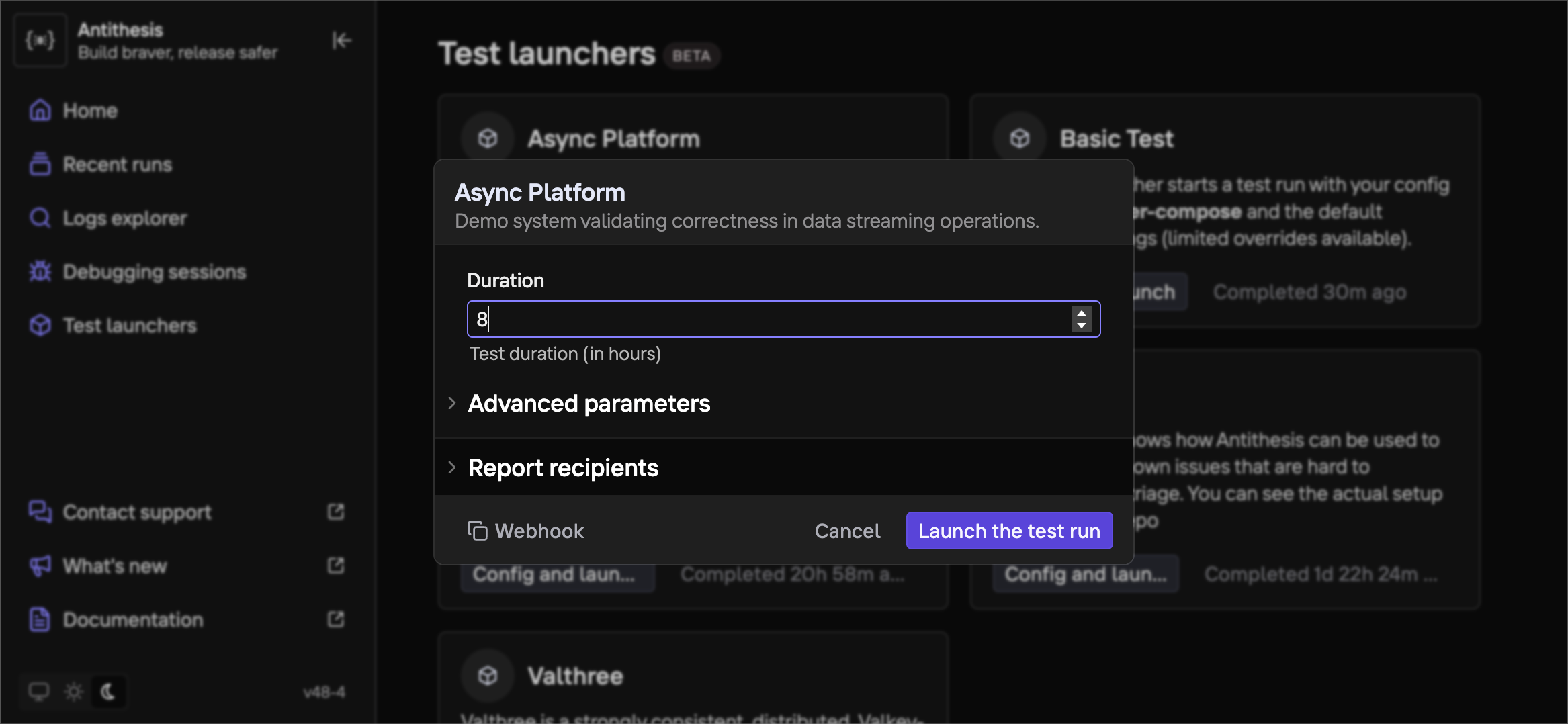
Illustration 0

You can also configure a test in the launcher, then copy the webhook code with one click.

Creating new tests

Every Antithesis tenant comes with several pre-written tests.

New tests can be added to customize elements like the hostility of the test environment, which containers are exposed to faults, or the types of faults injected.

Your Antithesis team can help you with this process. Please contact us at support@antithesis.com or ask on our Discord.

Once the test is created, you’ll be able to configure and launch it with a test launcher, from command line, or automate it with a github action.

  • Introduction
  • How Antithesis works
  • Using Antithesis documentation with AI
  • Get started
  • Test an example system
  • With Docker Compose
  • Build and run an etcd cluster
  • Meet the Test Composer
  • With Kubernetes
  • Build and run an etcd cluster
  • Meet the Test Composer
  • Setup guide
  • For Docker Compose users
  • For Kubernetes users
  • Product
  • Test Composer
  • Test Composer basics
  • Test Composer commands
  • How to check test templates locally
  • How to port tests to Antithesis
  • Test launchers
  • Reports
  • The triage reports
  • Findings
  • Environment
  • Utilization
  • Properties
  • The bug reports
  • Context, Instance, & Logs
  • Bug likelihood over time
  • Logs Explorer & multiverse map
  • Multiverse debugging
  • Overview
  • The Antithesis multiverse
  • Querying with event sets
  • Environment utilities
  • Using the Antithesis Notebook
  • Cookbook
  • Tooling integrations
  • CI integration
  • Discord and Slack integrations
  • Issue tracker integration - BETA
  • Configuration
  • Access and authentication
  • The Antithesis environment
  • Optimizing for testing
  • Docker best practices
  • Kubernetes best practices
  • Concepts
  • Properties and Assertions
  • Properties in Antithesis
  • Assertions in Antithesis
  • Sometimes Assertions
  • Properties to test for
  • Fault injection
  • Reference
  • Webhooks
  • Launching a test
  • Launching a debugging session
  • Webhook parameters
  • SDK reference
  • Define test properties
  • Generate randomness
  • Manage test lifecycle
  • Assertion catalog
  • Coverage instrumentation
  • Go
  • Instrumentor
  • Tutorial
  • Assert (reference)
  • Lifecycle (reference)
  • Random (reference)
  • Java
  • Using the SDK
  • Building your software
  • Tutorial
  • Assert (reference)
  • Lifecycle (reference)
  • Random (reference)
  • C
  • C++
  • C/C++ Instrumentation
  • Tutorial
  • Assert (reference)
  • Lifecycle (reference)
  • Random (reference)
  • JavaScript
  • Python
  • Tutorial
  • Assert (reference)
  • Lifecycle (reference)
  • Random (reference)
  • Rust
  • Instrumentation
  • Tutorial
  • Assert (reference)
  • Lifecycle (reference)
  • Random (reference)
  • .NET
  • Instrumentation
  • Tutorial
  • Assert (reference)
  • Lifecycle (reference)
  • Random (reference)
  • Languages not listed above
  • Assert (reference)
  • Lifecycle (reference)
  • Assertion Schema
  • Handling external dependencies
  • FAQ
  • Product FAQs
  • About Antithesis POCs
  • Release notes
  • Release notes
  • General reliability resources
  • Reliability glossary
  • Techniques for better software testing
  • Autonomous testing
  • Deterministic simulation testing
  • Property-based testing
  • White paper — How much does an outage cost?
  • Catalog of reliability properties for key-value datastores
  • Catalog of reliability properties for blockchains
  • Test ACID compliance with a ring test