How to port tests to Antithesis
In this guide, we’ll walk through how to evolve a traditional test into an autonomous one using Antithesis, with a real-world example from Turso, a rewrite of SQLite in Rust.
Turso have open sourced their tests on github — this guide explains what they did, and shows you how to do the same for your system.
If you haven’t already done so, you might want to read the introduction and Creating test templates before tackling this.
The stress test
Turso started with a workload that stress-tests their database to ensure data integrity.
The test script:
- Randomly generates a schema and table.
- Generates a specified number of random SQL insert, update, and delete queries.
- Executes the generated SQL queries.
- Periodically checks the database for integrity violations.
| Component | Code lines |
|---|---|
| Schema and table creation | gen_schema |
| Insert query | generate_insert |
| Update query | generate_update |
| Delete query | generate_delete |
| Integrity check | integritycheck |
Instead of using some synthetic data and pre-written queries, this script uses randomness to lead the test. So this handwritten stress test is already stronger than a fixed example-based test, because it introduces randomized behavior, making it behave a little like real users who interact with the software in unexpected ways.
However, it still misses many potential execution paths — especially those that involve concurrency or failure scenarios.
The test also panics and exits execution when it encounters an error. While it’s good practice to exit when the system is in an unrecoverable state, it doesn’t allow you to see the consequences of encountering a bug.
Running in Antithesis
Initially, Turso simply ran the stress test binary as an entrypoint in their first Antithesis testing setup, by including a single line of code in their dockerfile. That’s all you need to do to start testing with Antithesis!
An equivalent approach, demonstrated below, is to make the stress test binary a test template. To do this, Turso made their stress test a singleton driver command by placing it in a simple shell script.
singleton_driver_stress.sh
#!/usr/bin/env bash
/bin/turso_stress --silent --nr-iterations 10000Containerization
Whichever approach you use, Turso’s containerization setup is a helpful example of how to set up your software in Antithesis.
- Dockerfile (this is an updated version of the Dockerfile above)
- Orchestration (docker-compose)
- Ready signal
Test quality
Now Turso’s test is running in Antithesis’ testing environment, which means it’s running many thousands of times while being subjected to faults.
Each test run now consists of:
- Multiple test branches experiencing different faults.
- The software undertaking the same fixed sequence of operations on every branch.
Strengthening their testing
The next step in the evolution is to break down the monolithic stress test into one that allows Antithesis to control execution order, parallelism, and frequency, and guide the fuzzer to more interesting system states.
Here’s how the core components of the stress test map to test commands:
Apart from breaking down the monolithic stress test, some of the panics in the monolith are converted into always assertions. If the assertion fails or a panic is triggered, it’ll now show up as a property failure in the triage report. This allows Turso to see what the consequences of a given error are.
Containerization
This uses the same containerization and orchestration files as above, but look for the relevant lines that refer to this directory. Note that Turso’s current testing setup for Antithesis includes both the singleton_driver_stress, and the collection of test commands.
Test quality
Each test run now consists of:
- Multiple test branches with different sequences of events.
- Parallel insert/update/delete/rollback operations.
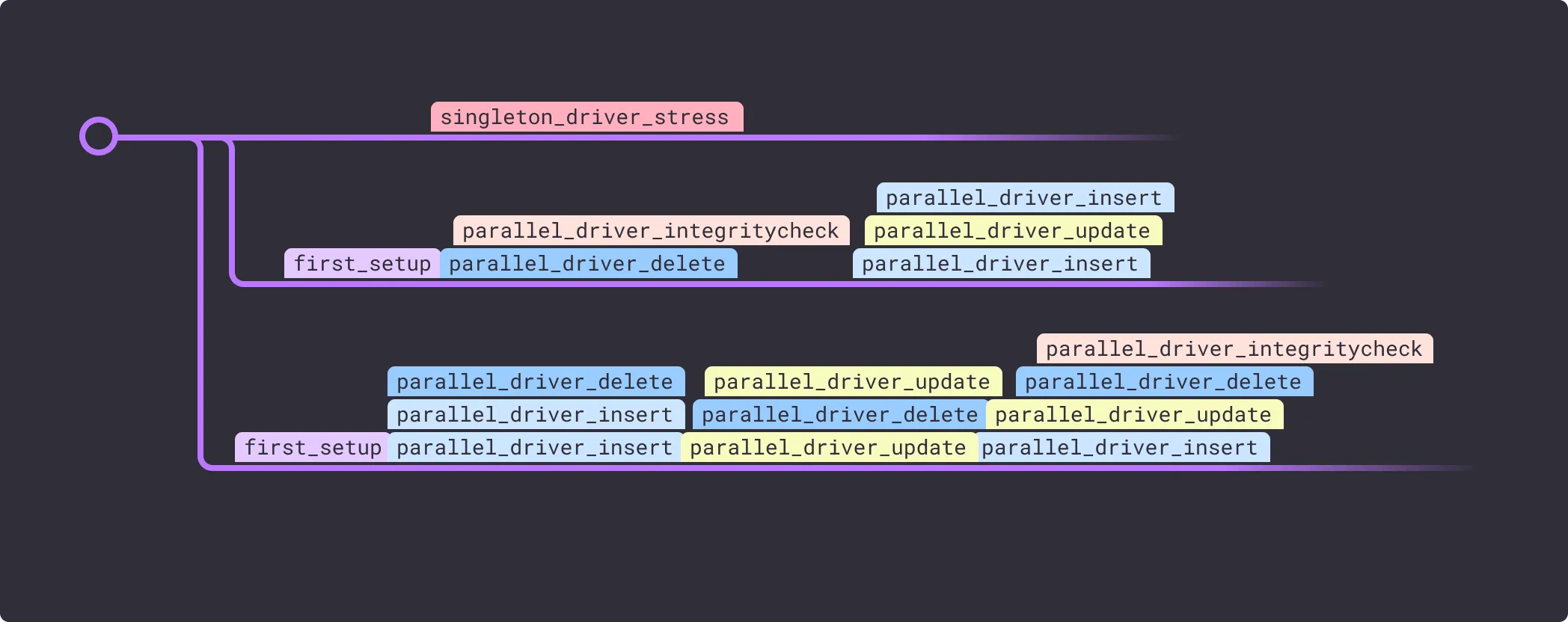
Here’s the triage report that this test generates. More detail on the triage report — or if you’d like to see the Logs Explorer for this test, drop us a line at support@antithesis.com.
Summary
By following this progression, you move from writing fixed examples to defining properties and behaviors, letting Antithesis explore execution paths on its own.
| Setup | What you’re testing | Will you find the bug? |
|---|---|---|
| Example-based testing, manual runs | Fixed test path | Only if it’s on the one path that you thought to test. |
| Example-based testing, partially randomized, manual runs | Test a different path per test run, one path per click | If randomization finds the buggy input sequence. |
| Example-based testing, partially randomized, automated runs | Test a different path per test run, many paths per click | If randomization finds the buggy input sequence. |
| Autonomous testing, singleton | Many executions with randomness + fault injection | If at least one combination of events and faults across the branches of execution leads to a bug. |
| Autonomous testing, full template | Fully autonomous, parallel, property-based testing | Very very likely! |