Issue tracker integration - BETA

Antithesis makes it easy to create tickets in your issue tracker directly from a Finding or group of Findings.

When you click the “Create ticket” button, your issue tracker opens in a new tab with a pre-filled create ticket form. You’ll just need to click “create.”
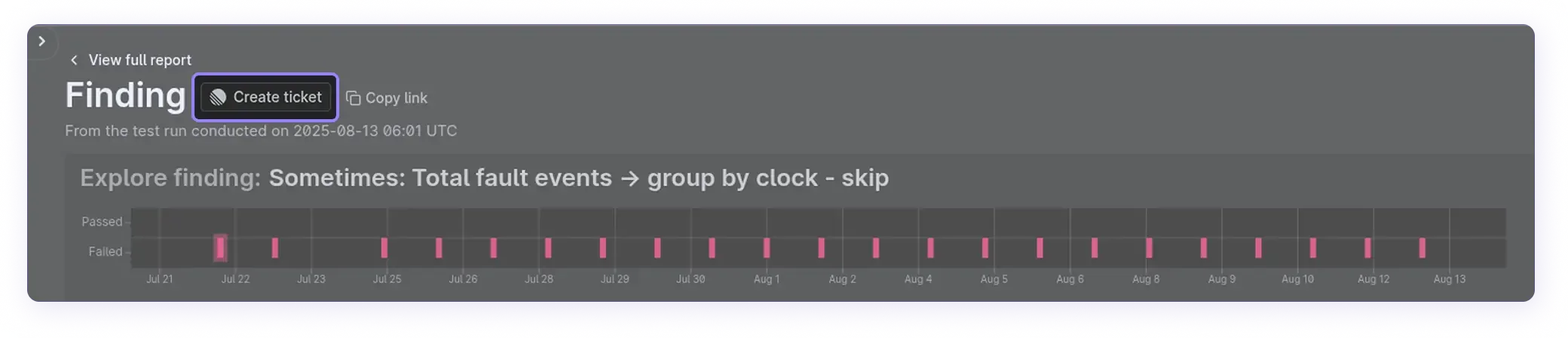

Create ticket example 1
Create ticket example 2

How to set it up

Simply send your issue tracker’s URL to your customer success engineer to enable the integration.

Supported issue trackers

https://linear.app/YOUR_TEAM_NAME/new
  • YOUR_TEAM_NAME: Your team name in Linear (visible in the URL when using the web app).
https://ORGANIZATION.atlassian.net/secure/CreateIssueDetails!init.jspa?pid=PROJECT_ID&issuetype=ISSUE_TYPE_ID
  • ORGANIZATION: Your Jira Cloud organization name (part of their domain).

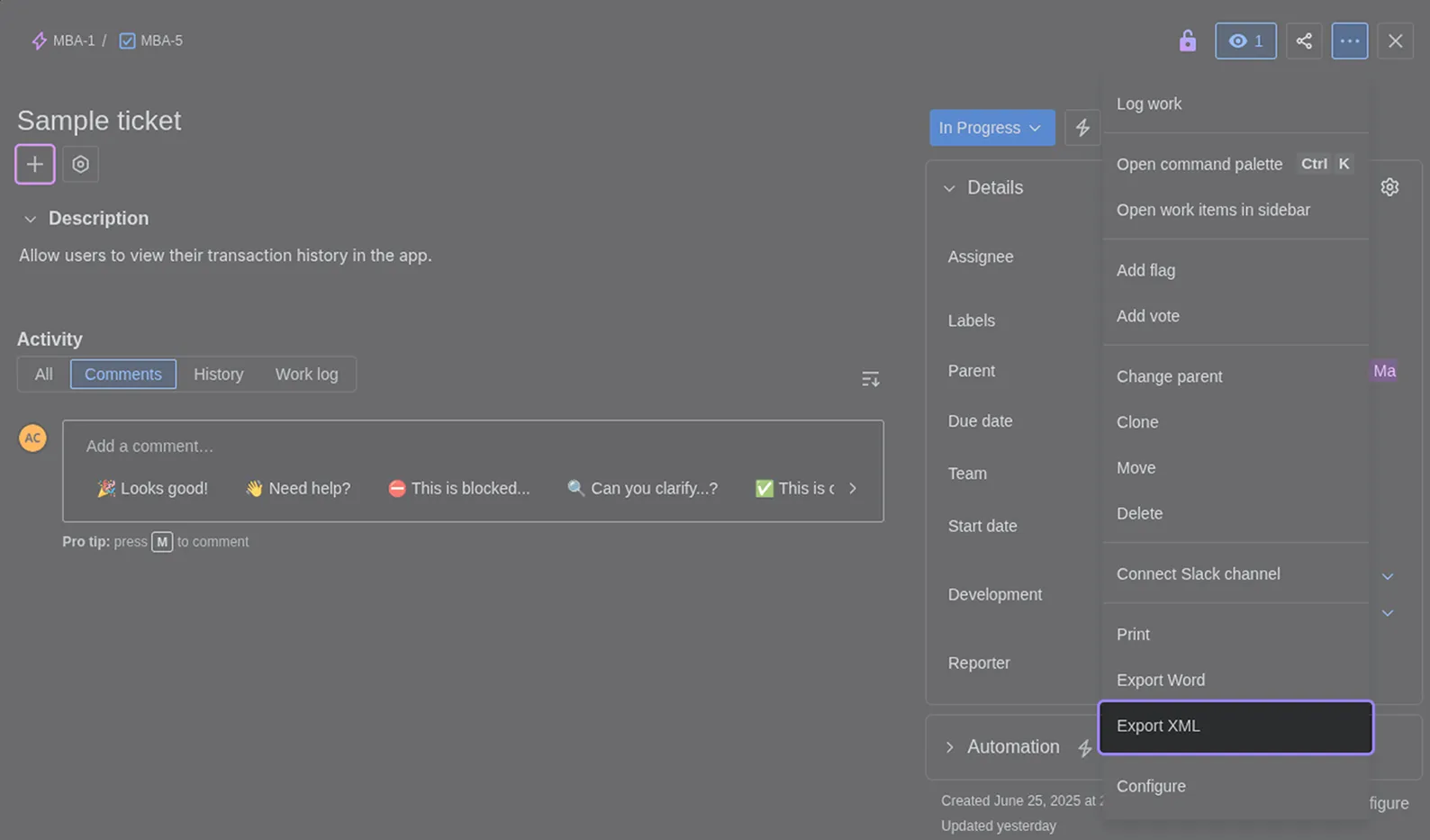
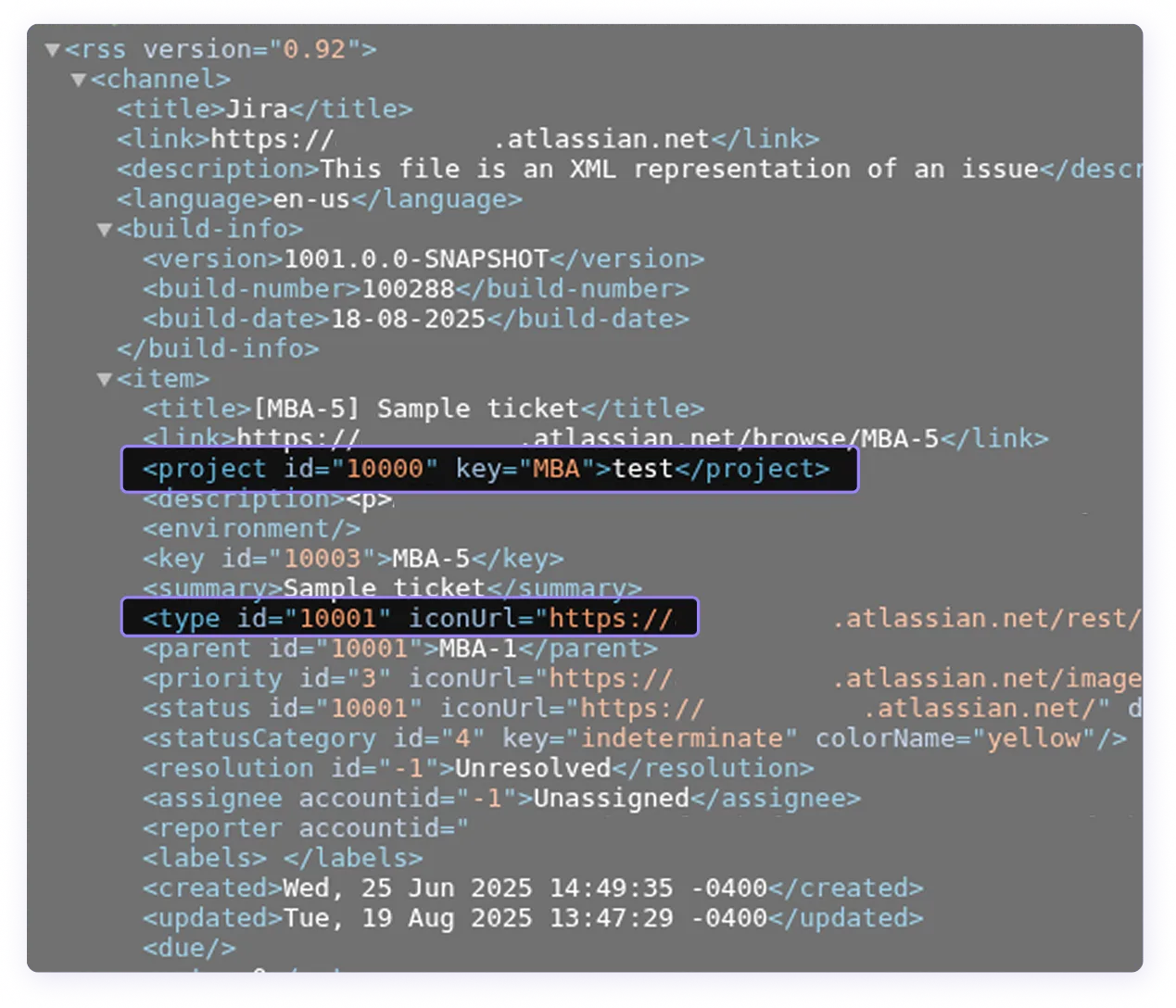
  • PROJECT_ID: The internal project ID. To find this, export an issue to XML and look for the ID in the <project> tag.

  • ISSUE_TYPE_ID: Tickets will be created with this issue type. To find this, export an issue to XML and look for the ID in the <type> tag.

Jira Export XML option
Jira XML example
https://github.com/ORG/REPO/issues/new
  • ORG: Your GitHub organization or user name.
  • REPO: Issues will be created in this repo.
https://gitlab.com/YOUR_GROUP/YOUR_PROJECT/-/issues/new
  • GROUP: Your group or namespace in GitLab.
  • PROJECT: Issues will be created in this project.
https://trello.com/add-card?mode=popup&url=https://trello.com/b/BOARDID
  • BOARDID: The ID of your Trello board.
  • Introduction
  • Welcome to Antithesis
  • How Antithesis works
  • Using Antithesis with AI
  • Get started
  • Setup guide
  • Overview
  • For Docker Compose users
  • For Kubernetes users
  • Test an example system
  • Overview
  • With Docker Compose
  • Overview
  • Build and run an etcd cluster
  • Add a test template
  • With Kubernetes
  • Overview
  • Build and run an etcd cluster
  • Add a test template
  • Product
  • Test templates
  • Overview
  • Creating test templates
  • Test commands
  • How to check a test template locally
  • How to port tests to Antithesis
  • Test launchers
  • The triage report
  • Overview
  • Findings
  • Environment
  • Utilization
  • Properties
  • Logs Explorer & multiverse map
  • Debugging
  • Overview
  • Causality analysis
  • Multiverse debugging
  • Simple Multiverse debugging
  • Advanced
  • Overview
  • The Antithesis multiverse
  • Querying with event sets
  • Environment utilities
  • Using the Antithesis Notebook
  • Cookbook
  • Tooling integrations
  • CI integration
  • Discord and Slack integrations
  • Issue tracker integration - BETA
  • Configuration
  • Access and authentication
  • The Antithesis environment
  • Best practices
  • Docker best practices
  • Kubernetes best practices
  • Optimizing for testing
  • Concepts
  • Properties and Assertions
  • Overview
  • Properties in Antithesis
  • Assertions in Antithesis
  • Sometimes Assertions
  • Properties to test for
  • Fault injection
  • Reference
  • Webhooks
  • Overview
  • Launching a test
  • Launching a debugging session
  • webhook reference
  • Antithesis API
  • Handling external dependencies
  • SDK reference
  • Overview
  • Define test properties
  • Generate randomness
  • Manage test lifecycle
  • Assertion catalog
  • Coverage instrumentation
  • Go
  • Go SDK
  • Instrumentor
  • Tutorial
  • Assert (reference)
  • Lifecycle (reference)
  • Random (reference)
  • Java
  • Java SDK
  • Using the SDK
  • Building your software
  • Tutorial
  • Assert (reference)
  • Lifecycle (reference)
  • Random (reference)
  • C SDK
  • C++
  • C++ SDK
  • C/C++ Instrumentation
  • Tutorial
  • Assert (reference)
  • Lifecycle (reference)
  • Random (reference)
  • JavaScript
  • Python
  • Python SDK
  • Tutorial
  • Assert (reference)
  • Lifecycle (reference)
  • Random (reference)
  • Rust
  • Rust SDK
  • Instrumentation
  • Tutorial
  • Assert (reference)
  • Lifecycle (reference)
  • Random (reference)
  • .NET
  • .NET SDK
  • Instrumentation
  • Tutorial
  • Assert (reference)
  • Lifecycle (reference)
  • Random (reference)
  • Languages not listed above
  • Fallback SDK
  • Assert (reference)
  • Lifecycle (reference)
  • Assertion Schema
  • FAQ
  • Product FAQs
  • About Antithesis POCs
  • Release notes
  • Release notes
  • General reliability resources
  • Reliability glossary
  • Techniques for better software testing
  • Autonomous testing
  • Deterministic simulation testing
  • Property-based testing
  • White paper — How much does an outage cost?
  • Catalog of reliability properties for key-value datastores
  • Catalog of reliability properties for blockchains
  • Test ACID compliance with a ring test